13-page printable Family Command Center + Family Smart Calendar Builder
One place to organize the month, plan the week, and keep the whole family moving.
Bring school, sports and activities, work, appointments, meals, exercise, errands, transportation and weekends into one practical family planning system.
Plan it on paper. Put it on your calendar.
$14.99 · Printable PDF + browser-based companion
Digital product. Nothing physical is shipped.
After purchase, open My Account → Downloads to retrieve your 13-page Family Command Center PDF. To use the Family Smart Calendar Builder, open page 13 and select ‘Open Family Smart Calendar Builder.’
The problem: the schedule is only half the story.
School sends a message. Practice changes. Work runs late. Dinner still needs a plan. And somehow everyone assumes someone else is driving.
The details end up scattered across apps, messages, scraps of paper and one very busy parent’s brain. The Family Command Center gives you a place to bring them together: what’s happening, what needs doing, what’s for dinner and how everyone gets there.
Because “I thought you were picking them up” is a sentence best retired.
What’s inside
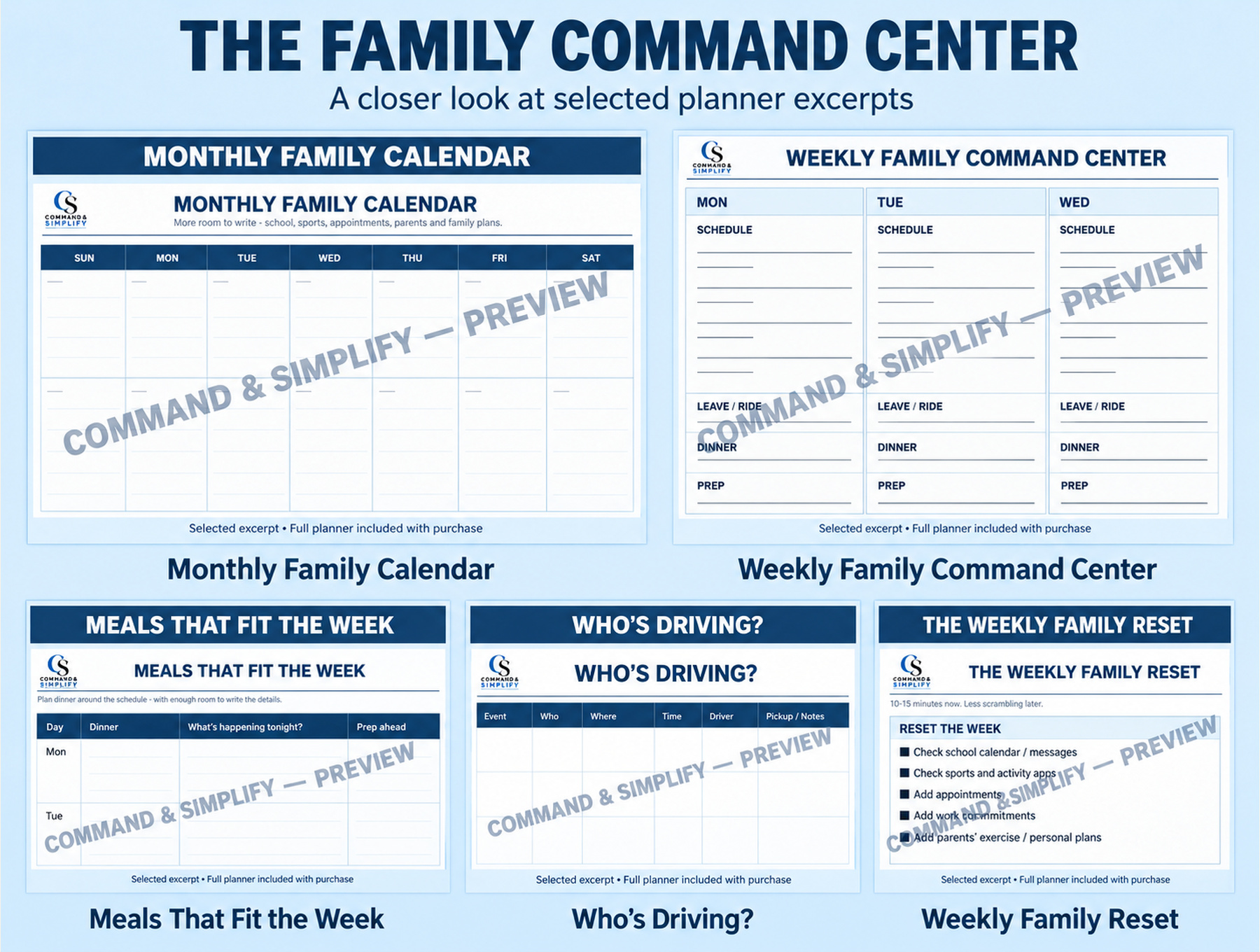
Undated pages for the schedule—and everything that makes it work.
See the month
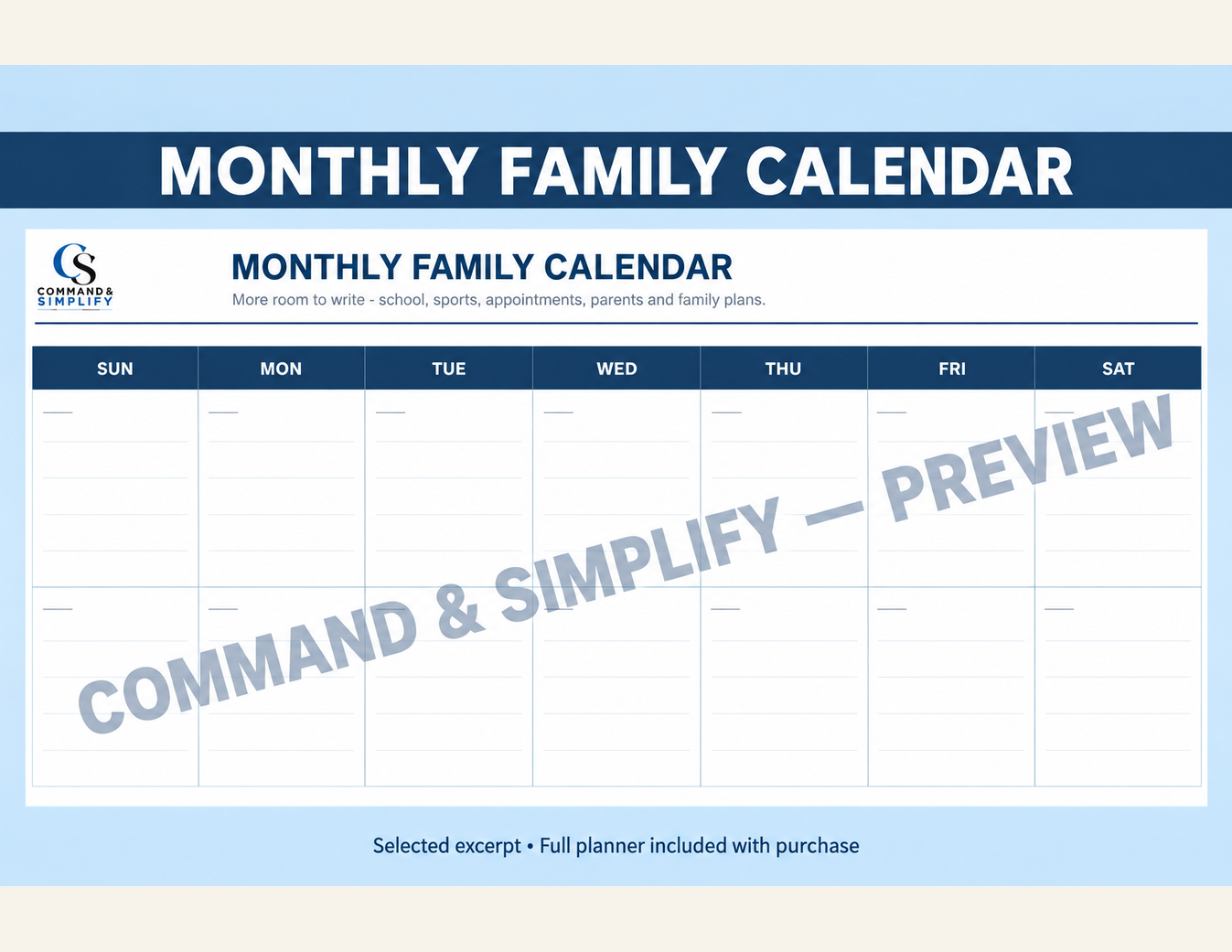
Monthly Family Calendar + This Month
Gather dates, commitments, deadlines and what’s ahead.
Run the week
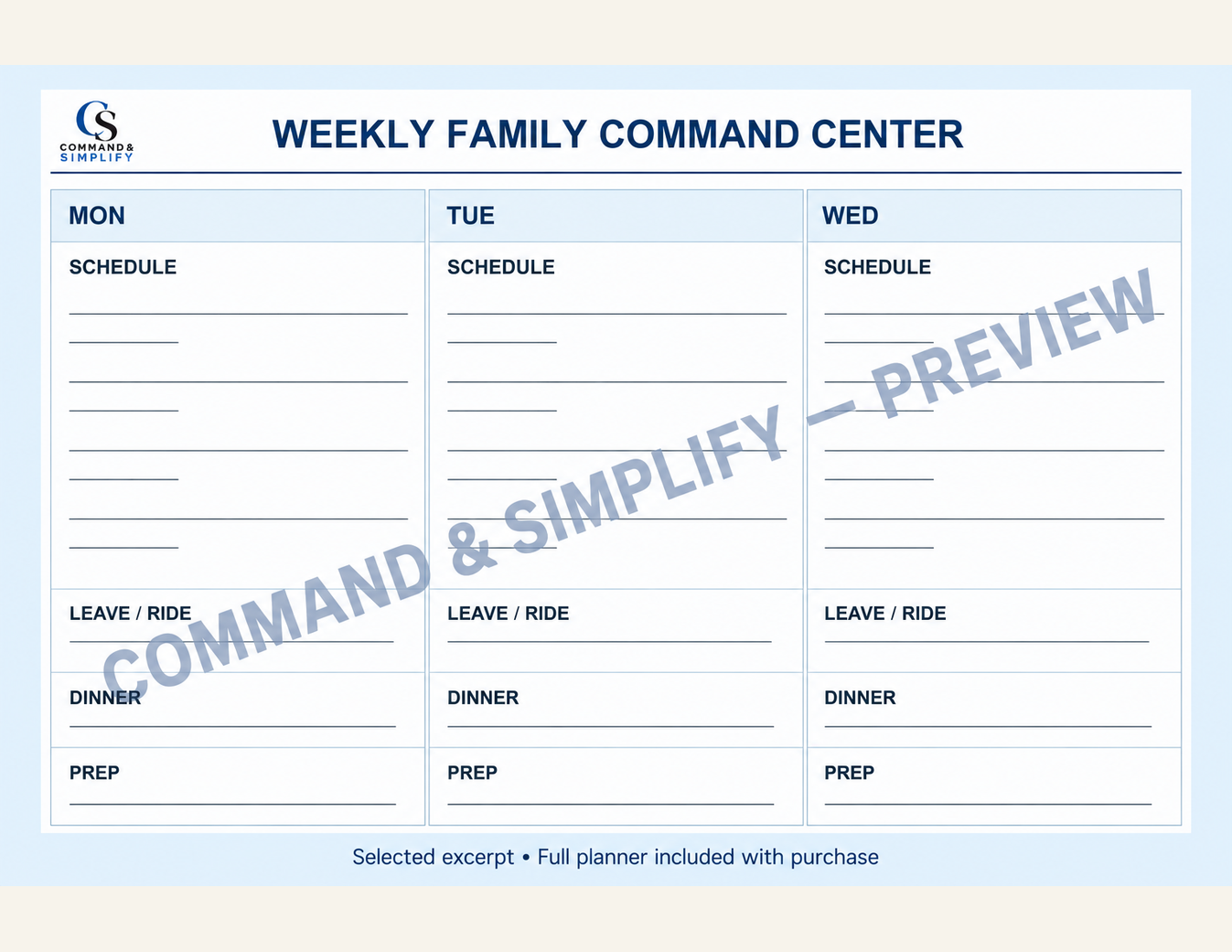
Weekly Family Command Center + This Week’s Command List
See the schedule, rides, dinner, preparation and priorities together.
Plan dinner
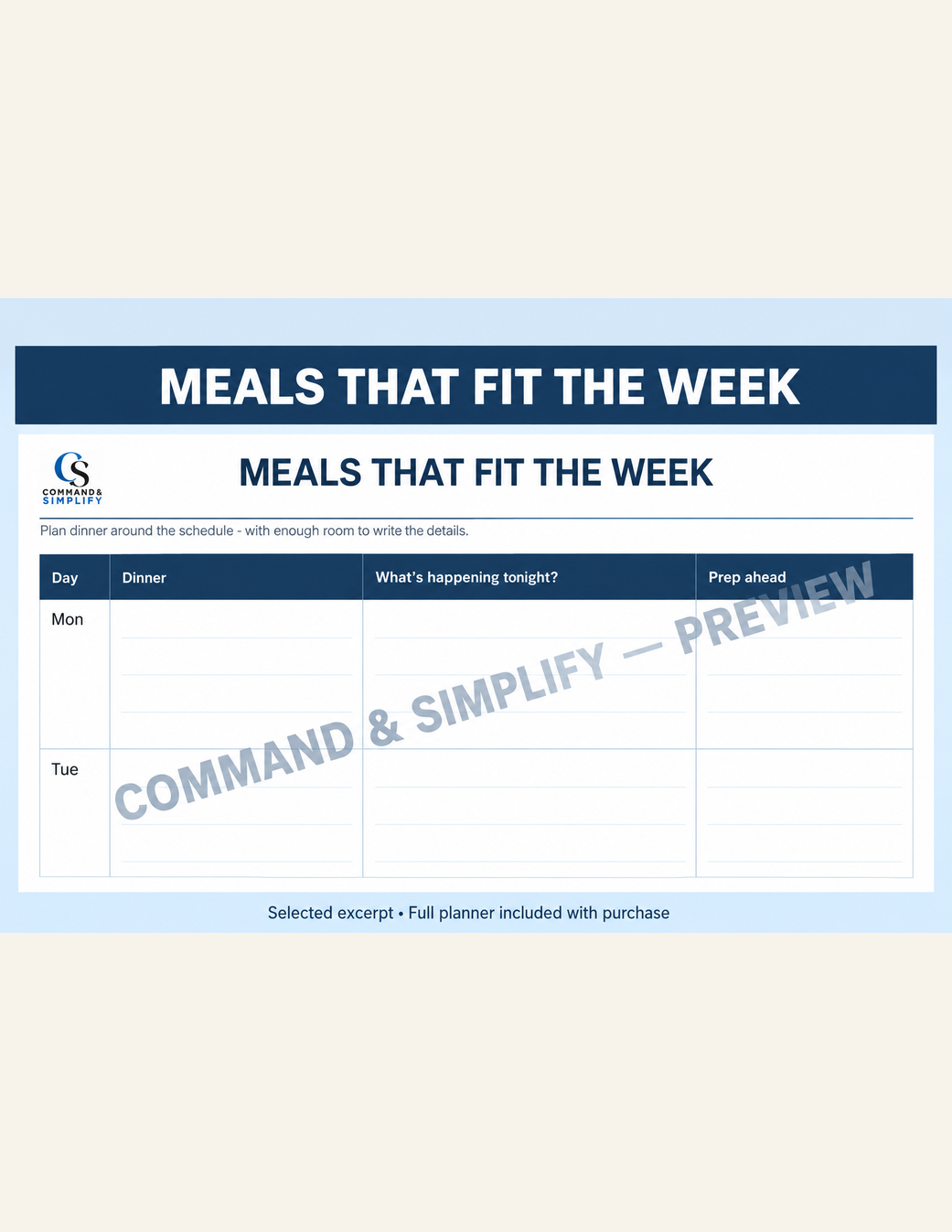
Meals That Fit the Week
Match dinner to your schedule, with prep notes and a busy-night backup.
Know who’s driving

Who’s Driving?
Keep drivers, pickup details and backup contacts in one place.
Reset for next week
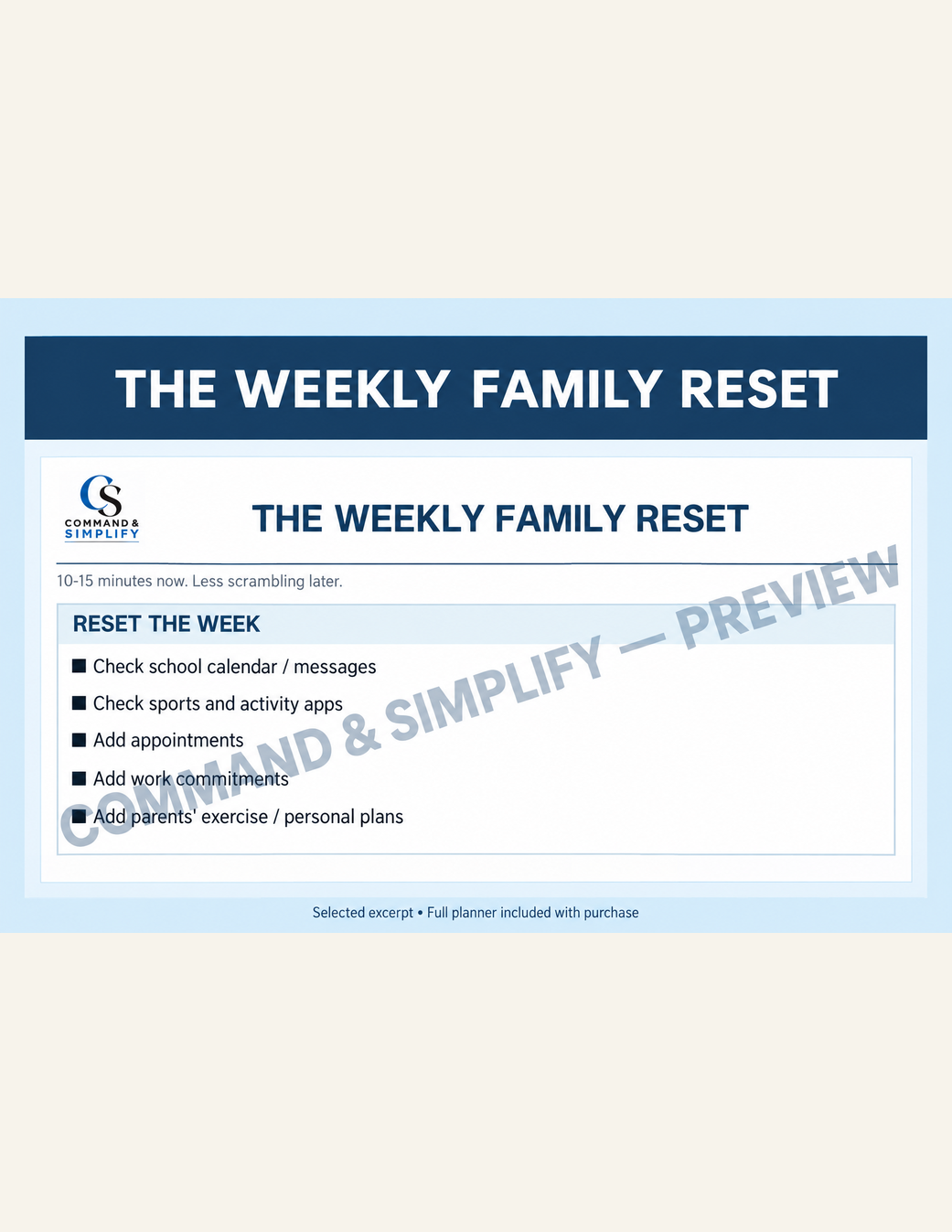
Weekly Family Reset
Review schedules, rides, meals and preparation before Monday arrives.
Cover the everyday details
- Weekend Command Center — plans, errands and family time.
- Don’t Forget Yourself — parents’ work, exercise, appointments and personal time.
- Groceries + Household — food and household essentials.
Plus: the Family Smart Calendar Builder companion, shown below.
How the Family Command Center works
- 1. Gather the month. Put important dates and commitments on the monthly pages.
- 2. Map the week. Coordinate schedules, rides, meals and prep; check for overlaps.
- 3. Use what helps. Add the meal, ride, command-list, shopping or weekend pages as needed.
- 4. Reset and reuse. Review the week ahead in 10–15 minutes, then print fresh undated pages.
Family Smart Calendar Builder
Plan it on paper. Put it on your calendar.
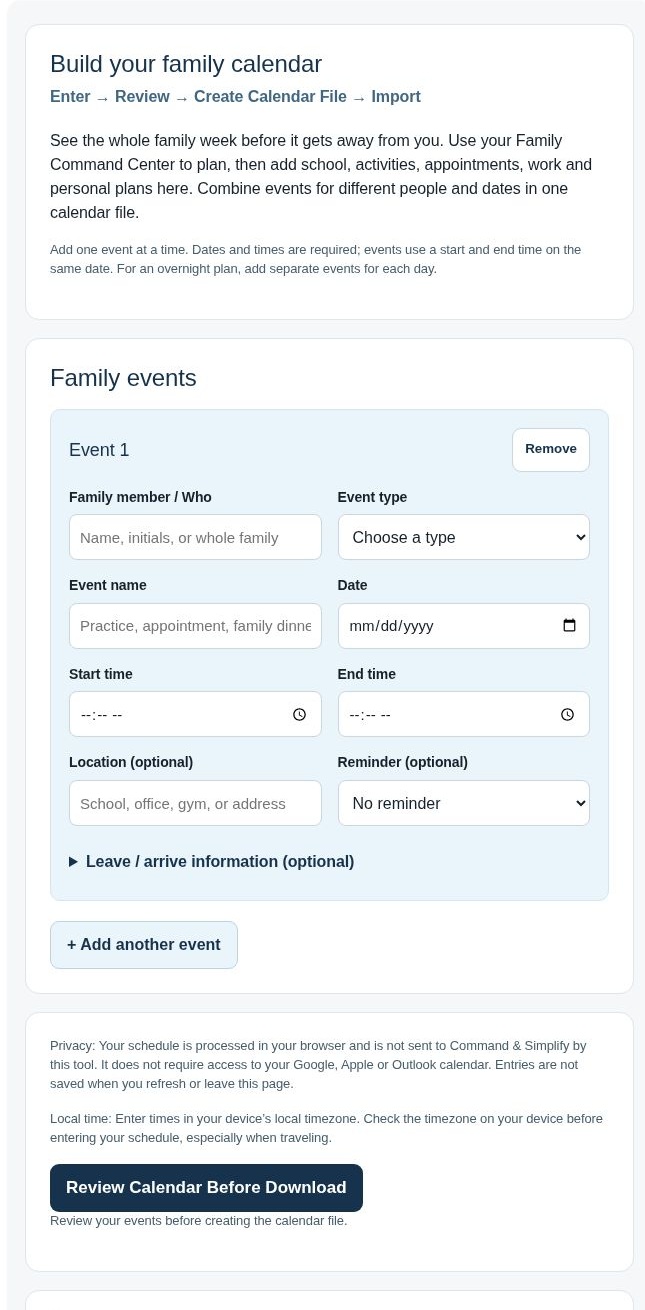
Turn the events you’ve planned into a calendar file. Combine events for different family members and different dates in one browser-based companion.
Enter → Review → Create Calendar File → Import
Enter
Add school, sports and activities, appointments, work, birthdays and events, family and weekend plans, parent and personal events, and other events. Include optional travel information and reminders when useful.
Review
Check the family members, dates, times and event details before creating the file.
Create Calendar File
Create and download the calendar file from the builder.
Import
Import that file into the Google, Apple or Outlook calendar you already use, following your calendar’s import process.
You stay in control of your calendar. The builder runs in your browser and does not require access to your Google, Apple or Outlook calendar. It creates a file for you to import; it does not directly add events to your calendar.
Use the paper pages for the full family plan, then the builder for the events you want on your digital calendar.
Who it’s for
- Families balancing school, sports, clubs and activities.
- Parents coordinating work, appointments, errands and transportation.
- Households that want meals and groceries to fit the week’s commitments.
- Families who like a paper plan and want an optional way to bring events into a digital calendar.
It also makes space for exercise, hobbies, personal time and family weekends—because the parents belong on the schedule too.
What’s included
- The finished 13-page Family Command Center PDF, with monthly and weekly planning pages, meal and weekend planning, transportation, parent priorities, groceries and the weekly reset.
- The Family Smart Calendar Builder companion for entering, reviewing and creating an importable calendar file.
Digital product. Nothing physical is shipped. Print the PDF planning pages you need and use the browser-based builder alongside them.
Get the Family Command Center
One place to organize the month, plan the week, and keep the whole family moving.
$14.99 · 13-page printable Family Command Center + Family Smart Calendar Builder.
13-page printable PDF + browser-based Smart Calendar Builder
Digital product. Nothing physical is shipped.
Frequently asked questions
Is this a physical planner?
No. This is a digital PDF with a browser-based Smart Calendar Builder companion. You print the planning pages you want to use.
Do I need to use every page?
No. Start with the monthly and weekly pages, then use the meal, ride, shopping, weekend and reset pages when they help your family.
Can I reuse the planning pages?
Yes. The monthly and weekly pages are undated, so you can print fresh pages for a new month or week.
Does the builder connect to my calendar account?
No. It does not require access to your Google, Apple or Outlook calendar. It creates a calendar file that you import yourself.
Can I combine events for different family members and dates?
Yes. You can combine different family members’ events across dates, including school, activities, appointments, work, birthdays, family plans and parent priorities. Travel information and reminders are optional.
Does creating the file put the events on my calendar?
No. After reviewing your events and creating the file, you import it into the calendar you already use. Creating the file and importing it are separate steps.
Do I have to use the Smart Calendar Builder?
No. You can use the PDF pages as your paper planning system and use the companion whenever you want to create a calendar file.
